Best Free PDF Readers 2026 — Evidence-Based
Published 2026-02-11 · Updated 2026-06-25
7 min read
Written by Shyam Das Mallya
Reviewed by ExactPDF Product QA
Tested and source-checked on 2026-06-18
Method: Opened a controlled two-page PDF in ExactPDF Reader on macOS using Chromium, verified canvas rendering and viewer controls, then checked Adobe Reader, PDFgear, and Apple Preview features against current official documentation.
How this comparison was built
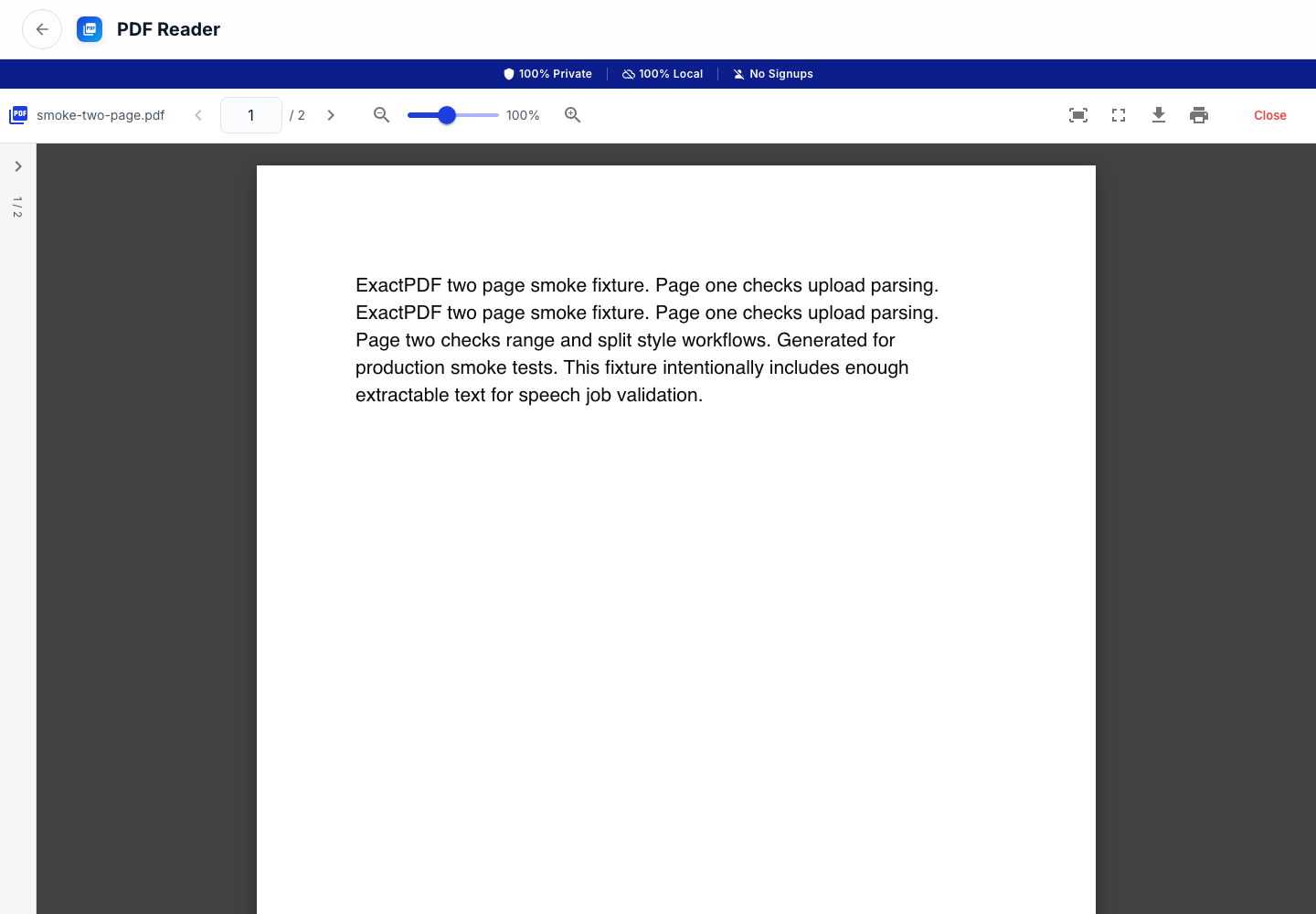
On June 18, 2026, we opened a controlled two-page PDF in ExactPDF Reader on macOS in Chromium. We verified that the document rendered and that the reader controls loaded.
For Adobe Reader, PDFgear, and Apple Preview, we checked current vendor documentation instead of repeating old download-size, telemetry, speed, or pricing claims that can change.
Shortlist by workflow
| Reader | Verified strength | Best fit |
|---|---|---|
| ExactPDF Reader | No-install browser workflow; controlled PDF rendered in our test | Reading a local PDF without installing an app |
| Adobe Acrobat Reader | Adobe documents viewing, signing, printing, annotation, search, and sharing | Broad PDF compatibility and established desktop workflows |
| PDFgear | Vendor documents Windows, macOS, and iOS reader apps with AI and editing features | Users wanting a feature-rich free desktop/mobile app |
| Apple Preview | Built into macOS; Apple documents forms, signatures, and markup | Mac users who need a native reader and basic markup |
| Browser built-in viewer | Opens PDFs with no additional install | Quick reading when advanced controls are unnecessary |
ExactPDF Reader: hands-on result
The controlled two-page fixture rendered successfully. The test covered opening and viewing, not every annotation, form, accessibility, printing, or offline edge case.
Use it when:
Do not assume a reader is a full editor. If you need overlays, signatures, or page changes, use PDF Editor or the appropriate dedicated tool.
Adobe Acrobat Reader
Adobe describes Acrobat Reader as a free standalone application for opening, viewing, signing, printing, annotating, searching, and sharing PDFs. That makes it a defensible compatibility-first choice.
Reader is not the same product as Acrobat Pro. Check the current Adobe product comparison before assuming editing or conversion features are included.
PDFgear
PDFgear’s official reader page lists Windows, macOS, and iOS support and promotes AI-assisted reading. If you want a desktop app with broader editing features than a browser viewer, it is worth testing with your actual PDFs.
If an AI feature is involved, review the vendor’s current privacy terms for that feature rather than assuming all processing is local.
Apple Preview
Preview is already installed on macOS. Apple documents form filling, signatures, and markup. It is usually the lowest-friction choice for Mac users who need to read, sign, or annotate without installing another app.
Preview does not edit existing PDF text directly. That distinction matters when “edit” means changing source text rather than adding a text box.
Reader vs editor
| Capability | Reader | Editor |
|---|---|---|
| View and search | Usually | Yes |
| Highlight and comments | Often | Yes |
| Fill and sign forms | Often | Yes |
| Add overlays or images | Sometimes | Usually |
| Change existing PDF text | Rarely | Tool-dependent |
| Reorder, merge, or split pages | Sometimes | Usually |
Recommendation
Test one representative real document before standardizing a reader across a team. Long PDFs, forms, accessibility tags, embedded fonts, and scanned pages expose different weaknesses.
What to do after opening the PDF
Reader choice matters most when it connects cleanly to the next action:
Try PDF Reader
Open a PDF locally in your browser, then move into edit, OCR, split, or convert workflows.
Open ToolFound this helpful?
❤️ Love ExactPDF? Share it with friends
Related Articles
A dated Mac test of ExactPDF plus Apple’s official Preview limits. Learn when markup is enough and when you need a browser editor.
Edit PDFs completely offline. Add text, images, signatures, and headers without an internet connection.
Extract English text from scanned PDFs and export TXT, Markdown, or JSON using free local OCR. Works in your browser with no cloud uploads.