Sejda Free Limits 2026 — Verified June 18
Published 2026-04-09 · Updated 2026-06-25
6 min read
Written by Shyam Das Mallya
Reviewed by ExactPDF Product QA
Tested and source-checked on 2026-06-18
Method: Visited Sejda’s live N-up PDF tool and recorded the free-service disclosure shown on the page. Compared only documented limits and avoided unsupported claims about watermarks, reset timing, or paid-plan pricing.
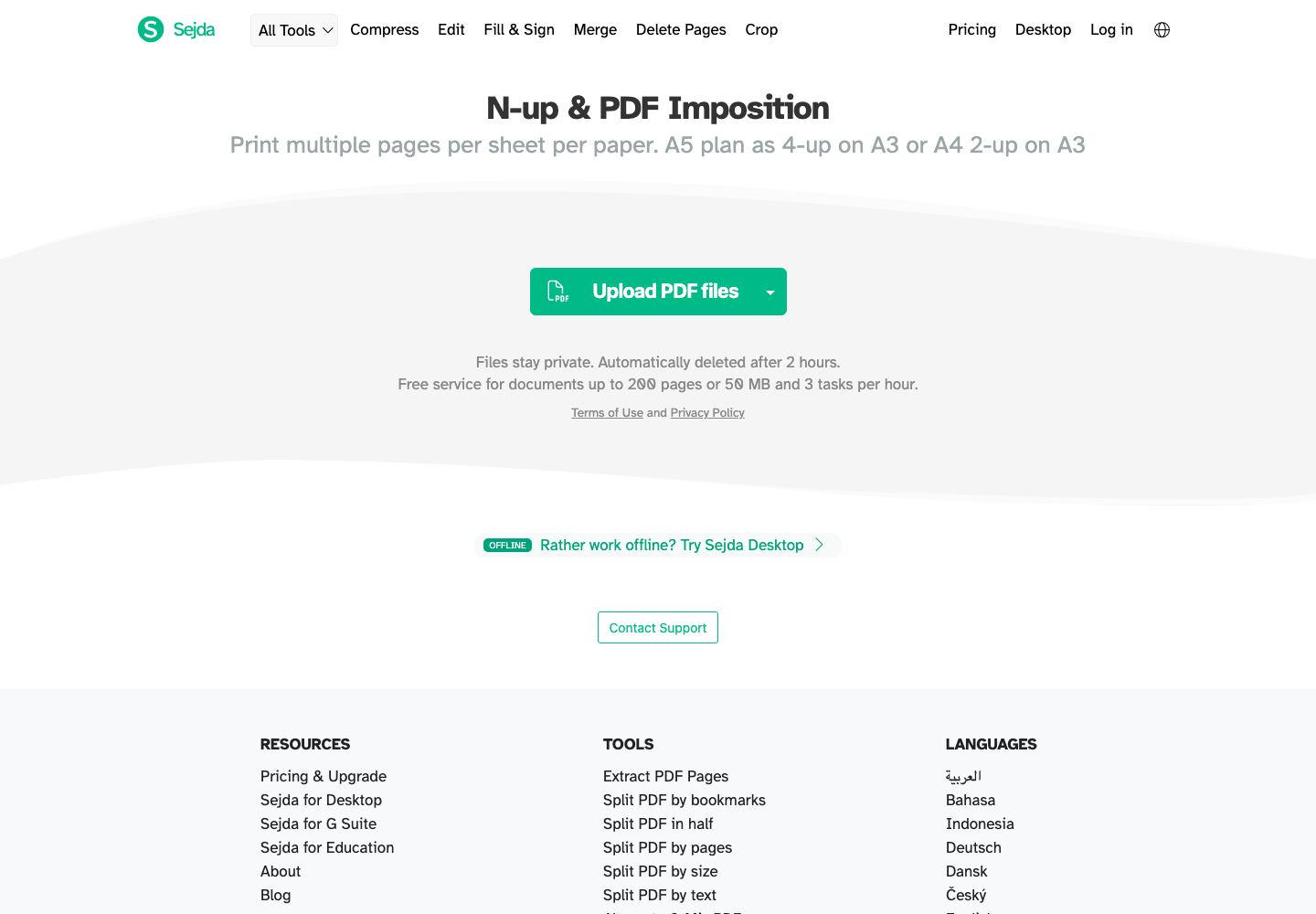
What we verified
On June 18, 2026, Sejda’s live N-up PDF and page-number tool pages displayed the same free-service disclosure:
The evidence screenshot and primary-source links are above. Vendor limits can change, so use the linked Sejda pages as the source of truth.
What we did not claim
Older versions of this article made claims about watermarks, reset timing, OCR access, paid-plan prices, and desktop limits without dated primary evidence. Those claims have been removed.
This page now distinguishes verified facts from assumptions.
When the verified limits matter
Whether that is a problem depends on your document and how many operations you need.
Sejda vs ExactPDF: choose by workflow
| Decision | Sejda | ExactPDF |
|---|---|---|
| Verified free limits | 200 pages or 50 MB; 3 tasks/hour on checked pages | No hourly task counter in the tested browser tools |
| Processing model | Sejda’s web tools process uploaded documents under its privacy policy | Supported free tools process in the browser |
| Editing breadth | Sejda offers a broad online editor suite | ExactPDF varies by dedicated tool; test the exact operation |
| Best reason to choose | The Sejda workflow has the feature you need and the limits fit | You need a supported local browser workflow without an hourly task cap |
Practical ExactPDF alternatives
Choose the closest local workflow instead of starting from a generic tools directory:
| Job after hitting a Sejda limit | ExactPDF workflow |
|---|---|
| Add text, signatures, images, or visual fixes | PDF Editor |
| Combine several files | Merge PDF |
| Extract only some pages | Split PDF |
| Reduce a large PDF before upload | Compress PDF |
| Meet a strict portal limit | Compress PDF to 200KB |
| Copy text from a scanned PDF | OCR PDF |
Verification checklist
Before committing to either service:
Bottom line
The defensible June 18, 2026 finding is narrow: the checked Sejda pages state 200 pages or 50 MB and 3 tasks per hour for free service. Choose the tool whose current limits, processing model, and output match your actual job.
Try PDF Editor
Use the local editor for overlays, signatures, page work, and supported no-upload edits.
Open ToolFound this helpful?
❤️ Love ExactPDF? Share it with friends
Related Articles
Limited free downloads or hourly processing allowances break real work. Here is how to compare current limits without relying on stale numbers.
Smallpdf documents limited free downloads. Review the current source and compare it with ExactPDF local browser workflows.
A current, primary-source comparison of Smallpdf cloud workflows and ExactPDF local browser tools.